Holistiplan Estate supports consolidated Will & Trust summaries for up to two household members. These summaries identify trusts intended to be created under the documents (resulting trusts) along with their fiduciaries, beneficiaries, and distribution provisions, giving a clear, consolidated view of estate plans.
Client Information, Reviewed Documents and Notes
From the Estate Reviews screen, click the desired report to view.
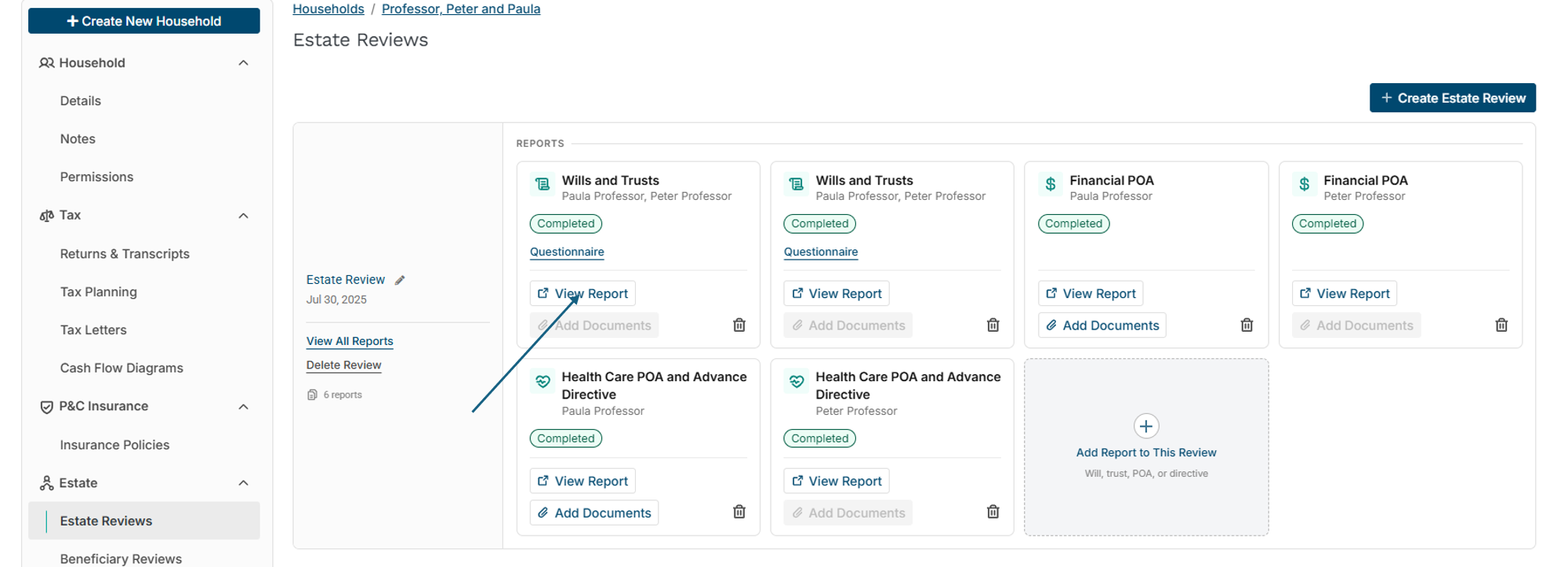
This brings up the Wills and Trusts report. The box in the top left-hand portion of the screen contains important information related to the report.
-
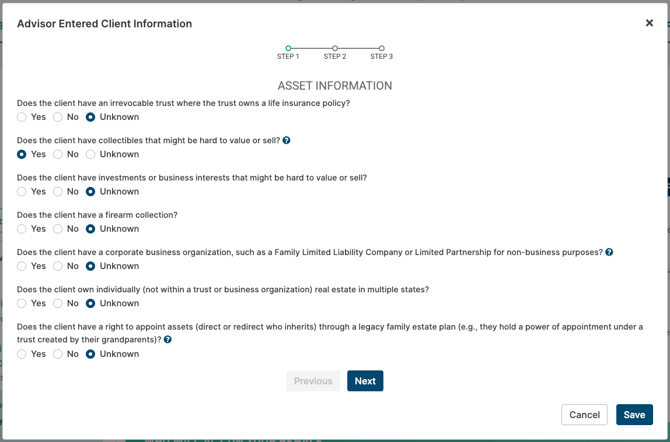
"Client Questionnaire" button: this brings up a 3-page survey of questions about asset information, tax information, and heir and agent information. Answers in this survey result in a richer Insights section by providing additional context that isn’t captured directly in the documents—like tax considerations, asset details, and information about heirs or agents.
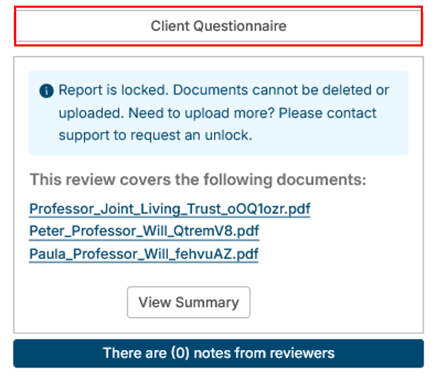
-
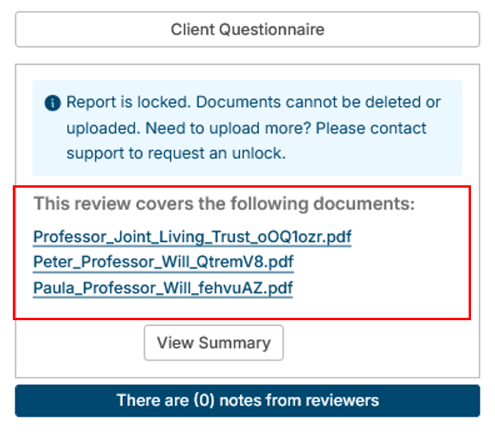
Covered documents - illustrates which documents are populating a particular review
-
Reviewer Notes: Holistiplan's Estate Specialists will occasionally find something that they want call attention to, such as identifying that a document was executed on a day that does not exist, questions about potentially ambiguous statements in the documents, or simply expanding on certain elements of the report. Users will see the indication of any notes in the blue box under the document summary.
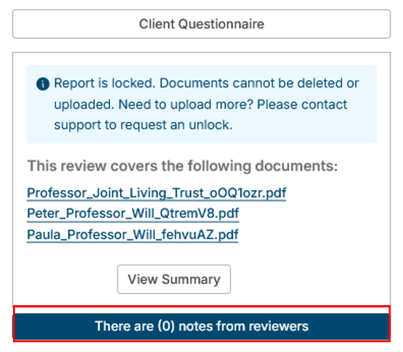
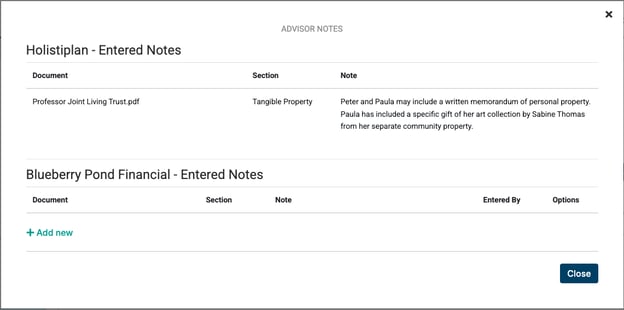
Users can determine the best way to address these with their clients (ex., add as an insight at the bottom of the report, use it as a talking point during a client meeting) and add their own internal notes by clicking + Add New.
Summary of Uploaded Documents
To the right of the Reviewed Documents and Notes section, users will find a synopsis of the documents as well as dates of execution if not draft documents.

Who Will Act on Your Behalf
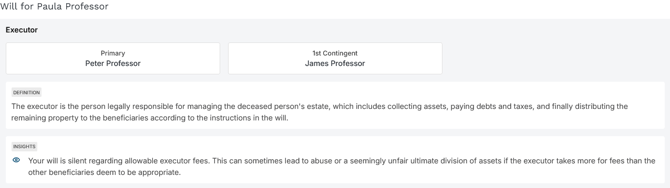
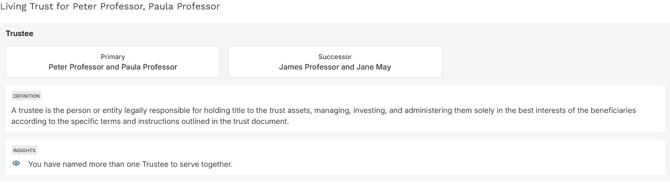
We’ll break down each uploaded document and give you notable parties or fiduciaries involved if present in the documents, as well as relevant notes!
We can identify at least 12 different roles:
- Wills: Executors/personal representatives and guardians for minors.
- Trusts: 12 roles including:
- trustees
- trust protectors
- investment trustees
- administrative trustees
- distribution trustees
- trustee appointers
- designated representatives
- committees (investment and distribution)
- and advisors (investment and distribution)
Who Gets What
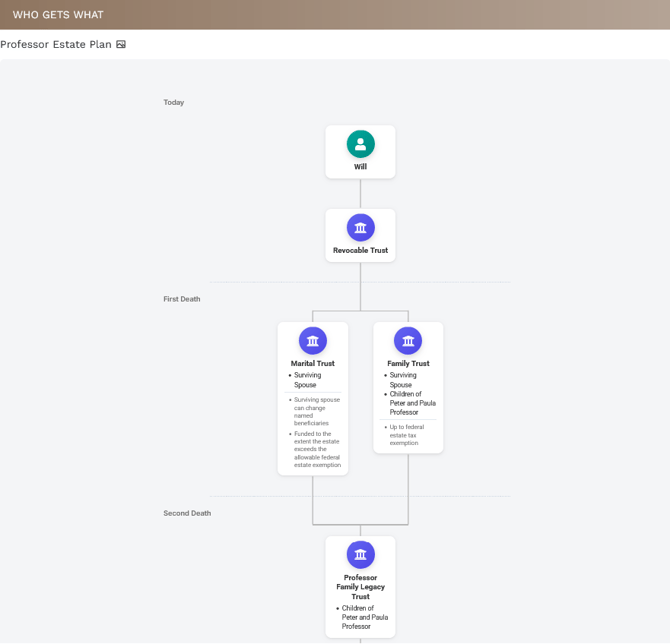
The Who Gets What section is a visual breakdown showing the estate flow by event (max of 3 events), noting pour-over trusts as well.
Broken or dashed lines indicate that our system does not know the actual asset amount, its taxability, or if it will be funded, as that information is not provided in the uploaded documents. This is a great use case for the Asset Diagram, where you can model the taxable assets in a similar flow chart!
How Illustrations Are Generated
Descriptions and order of disposition are taken directly from the documents. Holistiplan Estate Specialists create these illustrations using custom-designed software to visually represent complex plans in a clear, digestible way.
- Multiple Distribution Events
- Illustration Notes & Badges: Where applicable, illustrations display funding information (e.g., dollar amounts, fractions, percentages, remainder, or formula-based funding) and contingency treatment (e.g., per stirpes, per capita, alternate named beneficiaries, or lapse).
- Common Visualization for Spouses: Most estate illustrations for spouses include a surviving spouse and a predeceased spouse, each with up to two distribution events.
Limitations of Illustrations
Estate illustrations are designed to simplify complex plans, but there are some important limitations to keep in mind:
- Maximum of Three Distribution Events: Illustrations can include up to three key distribution events (e.g., death of the first spouse, death of the surviving spouse, and termination of trusts created upon the surviving spouse’s passing).
- Character Limits: Illustrations have limited space for typewritten characters, which may result in the omission of middle names or abbreviations of long, specific gifts of real or personal property.
- Family Disaster Provisions: In most cases, family disaster provisions are not available for illustration.
- While citations are not currently linked to report insights, we’re actively exploring features like hover-over highlights and advisor-facing “next step” reports to make it easier to navigate and act on document details.
Trusts Created Under Your Living Trust
This section includes details about any trusts that are created under the uploaded documents, if applicable.
The first portion of each created trust will indicate:
- Beneficiaries, in order
- Distribution permissions and withdrawal rights, including lump sum distributions and restrictions for age attainment or drug/alcohol testing
- Key provisions
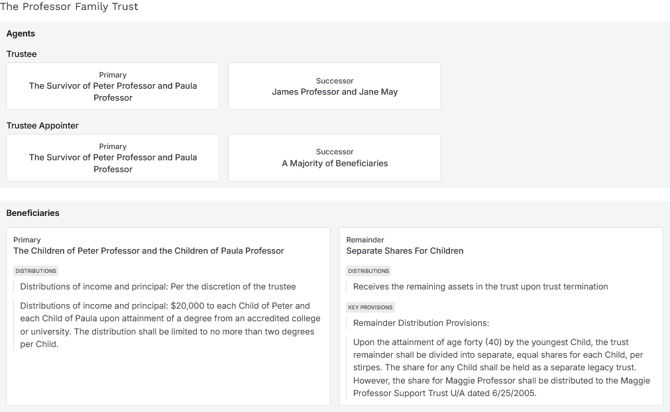
The second portion of each trust created by the estate plan will list insights specific to that trust. These insights can be hidden in full by clicking the "Hide" link.

Insights
The Insights section will list insights generated by the broad estate plan, incorporating elements from any uploaded documents and answers to the client questionnaire (which can result in a much richer and informative report). Categories include:
- General Insights
- Trustee Insights
- Executor Insights
- Guardian Insights
- Property Insights





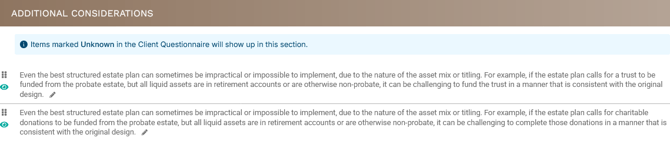
Users can drag and drop insights to reorder, edit the insight phrasing, or hide insights to tailor the report to a clients’ needs.