![Holistiplan Logo (800x200 px).webp]](https://help.holistiplan.com/hs-fs/hubfs/Holistiplan%20Logo%20(800x200%20px).webp?width=160&height=40&name=Holistiplan%20Logo%20(800x200%20px).webp)
Firm Admins can create tags that any user can add to individual households, helping classify and organize households based on any criteria they choose.
While individual users can add and remove tags for their households, only Firm Admins have the ability to create and edit tags.
Creating Tags
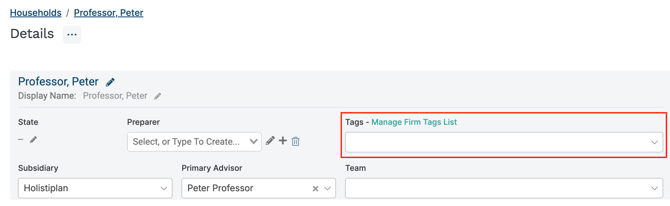
To create a tag, Firm Admins can navigate to any individual household's Details page and click the Manage Firm Tags link:
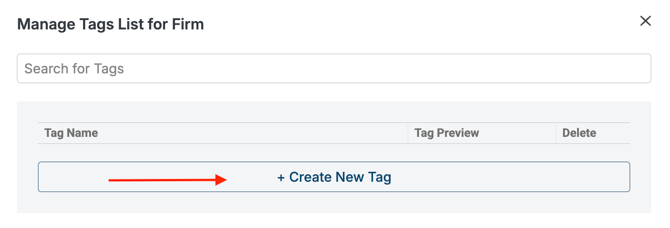
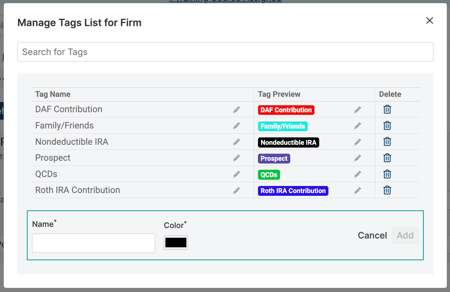
Click the +Create New Tag. Enter the name and associated tag color on the subsequent screen, then click Add.
Any user can select and filter Tags as one of the columns in the All Households page by clicking Column Setup on the right side of the All Households screen:
