![Holistiplan Logo (800x200 px).webp]](https://help.holistiplan.com/hs-fs/hubfs/Holistiplan%20Logo%20(800x200%20px).webp?width=160&height=40&name=Holistiplan%20Logo%20(800x200%20px).webp)
A maximum of four scenarios can be printed at a time for optimal printing and saving quality. To print the Scenario Analysis screen, click Print in the top-right corner of the page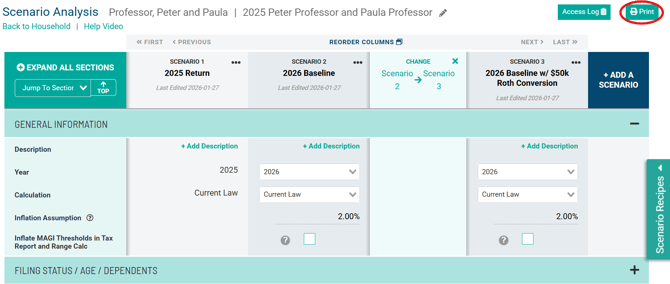
This will populate a print menu where users can choose which scenarios to print by checking the appropriate scenarios where outlined in green, and reorder the scenarios by dragging and dropping using the icons outlined in red.
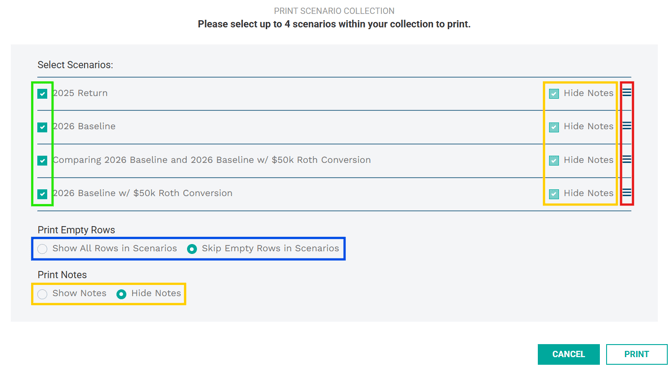
To leave out rows with no data, select Skip Empty Rows, outlined in blue. The Show All Rows option will print every line. To include the Field Notes as footnotes as part of what is printed, click Show Notes or leave the notes hidden by selecting Hide Notes, outlined in yellow.
Move scenarios in and out of the main Scenario Analysis screen for printing by using our Scenario Bank feature.