![Holistiplan Logo (800x200 px).webp]](https://help.holistiplan.com/hs-fs/hubfs/Holistiplan%20Logo%20(800x200%20px).webp?width=160&height=40&name=Holistiplan%20Logo%20(800x200%20px).webp)
Each S-corporation is modeled as its own entity, allowing you to evaluate the tax impact of individual businesses while also seeing the combined results on the Summary tab.
Holistiplan automatically evaluates passive activity treatment, self-employment (SE) tax, Net Investment Income Tax (NIIT), and Qualified Business Income (QBI) as you complete each entity.
Before You Begin
To complete an S-corporation entity, you may want to have:
- Schedule K-1 (Form 1065 or Form 1120-S)
- Ordinary business income or loss (Box 1)
- Prior-year suspended passive losses
- Participation information
- QBI information, if applicable
For employee-shareholders, you may also need:
- Owner W-2 wages
- Employer payroll taxes
- Retirement contributions
- Health insurance
- Other deductible business expenses (if using the Income Bridge)
Tip: You can return and edit any entity at any time. Changes are reflected immediately throughout Scenario Analysis.
Getting Started
Navigate to the Schedule E Income subsection of the Schedule 1 Income section and click the pencil icon in the Partnerships and S Corps row:
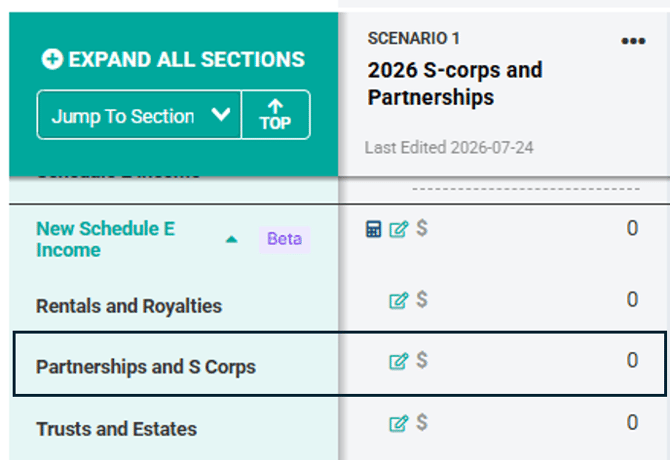
For scenarios created by copying an uploaded return, Holistiplan automatically creates an entity for each S-corporation reported on Schedule E, Part II using the entity name.
These entities provide a starting point. Review each one and enter the remaining financial and tax information.
Note that while the system will create entities for any listed item on the return, because Holistiplan does not read the individual income and expense items from Schedule E entities, that information will not port over to scenarios created by copying the return.
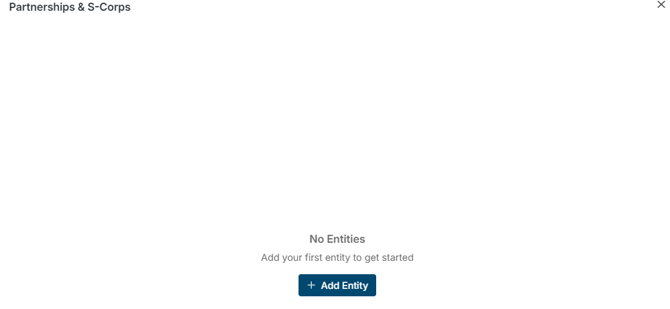
Alternatively, if the return did not include an S-corp (or partnership), click the + Add Entity button:
Adding an S-Corporation
First, name the entity to differentiate it from other entries. Then choose S Corp in the Entity Type drop-down menu, followed by the applicable selection in the Shareholder Type menu.
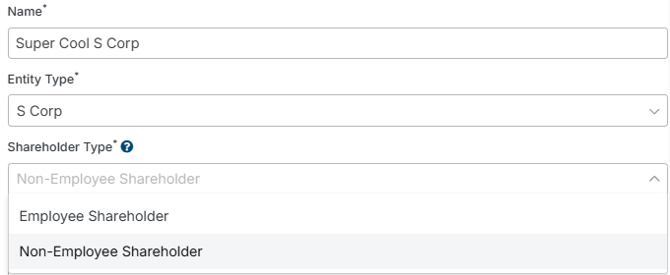
Choose the shareholder type that best describes the taxpayer.
| Shareholder Type | When to Select This Option |
| Employee-Shareholder | Select this option if the shareholder receives both a W-2 and a Schedule K-1. You'll have the option to enter K-1 income directly or estimate it using the Income Bridge. |
| Non-Employee Shareholder | Select this option if the shareholder receives only a Schedule K-1. Enter the ordinary business income or loss directly from K-1 Box 1. |
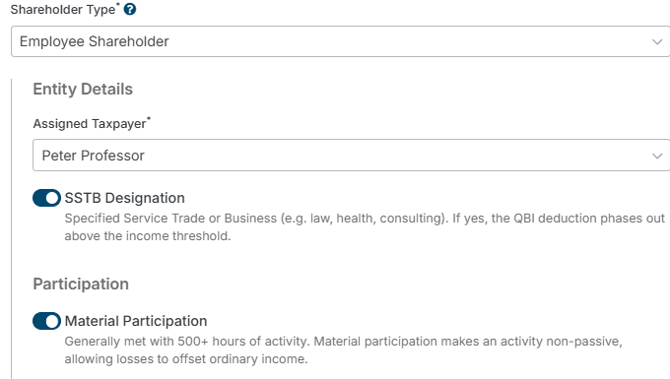
Next, indicate which taxpayer is associated with the S-corp, whether it is a Specialized Service Trade or Business (important for QBI Deduction calculations), and whether or not the taxpayer materially participates. (Note that material participation will default to “On” for Employee Shareholders.)
Pass-Through Income
Users can enter the amount of pass-through income flowing from the S-corp using one of two methods: Enter Box 1 Directly or Use Income Bridge.
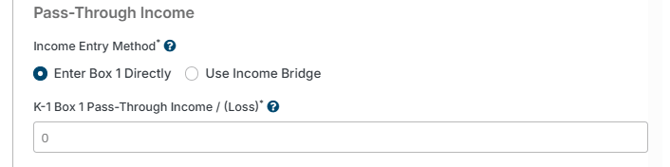
Enter Box 1 Directly allows for the simple entry of income or loss reported on Box 1 of the K-1. This will be the only option for non-employee shareholders.
For employee shareholders, users can elect to use the Income Bridge for a more thorough data entry experience.
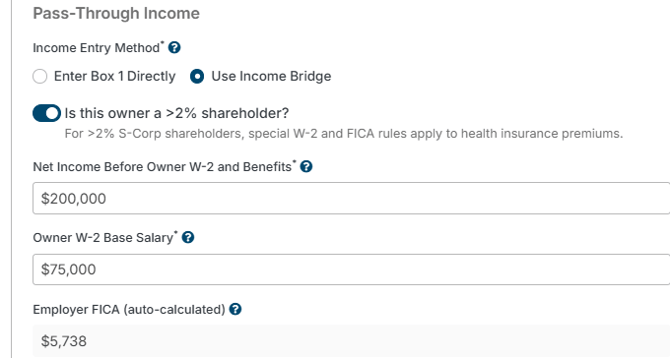
Upon selecting the Income Bridge method, users will be prompted to indicate if the taxpayer is a more than 2% shareholder. That election impacts other calculations related to FICA and health insurance premiums (if applicable).
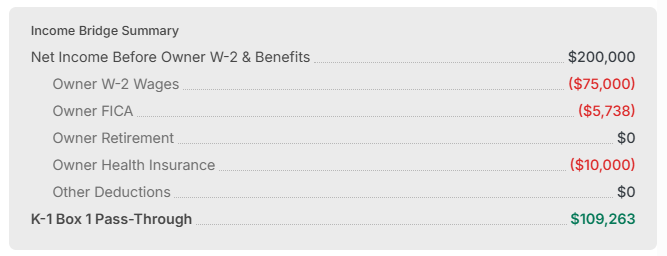
Indicate the amount of net business income before any W-2 wages or benefits paid on behalf of the owner, followed by the owner’s W-2 base salary. Holistiplan will use the owner’s wage amount to determine the employer portion of FICA, so as to eventually determine the amount of net distribution flowing to the K-1.
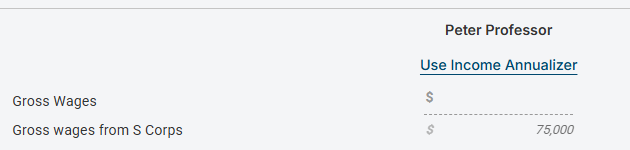
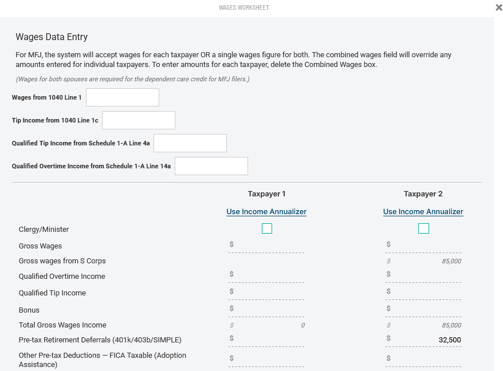
Holistiplan will automatically push the owner’s W-2 base salary to the Wages Worksheet.
Next, indicate how much of an employer contribution the S-corp is making to a retirement plan on behalf of the owner. Holistiplan will show the maximum amount of employer contributions for the S-corp owner based on the amount of the owner’s W-2 wages (as well as if the business is paying any or all of the owner’s health insurance premiums). For Solo 401(k) plans, Holistiplan will also show the amount of available employee deferral, based on wages and age.
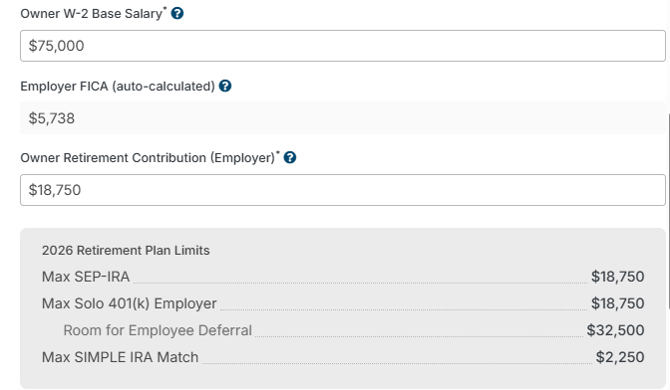
Note that any employee deferral amounts are recorded on the Wages Worksheet.
Last, indicate the amount (if any) the business is paying towards the owner’s health insurance, as well as any remaining deductions (e.g., employer contributions to an HSA).
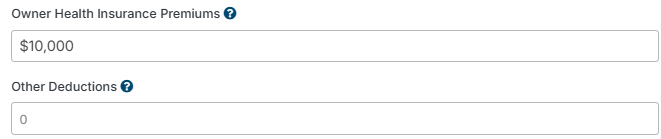
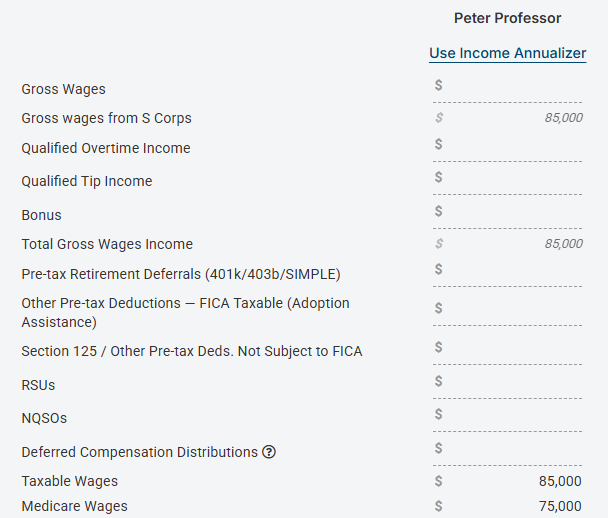
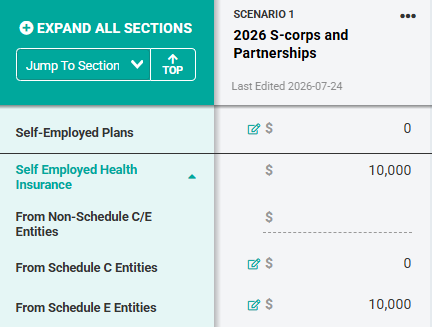
If the business is paying the health insurance premiums for a >2% shareholder, Holistiplan will add this amount to gross wages, exclude it from FICA, and include it as a deduction on Schedule 1. In this example, W-2 wages were $75,000, and owner health insurance premiums were $10,000, resulting in $85,000 of gross wages but only $75,000 of wages eligible for FICA. There is also a $10,000 deduction on Schedule 1 Deductions (Above the Line) for the self-employed health insurance deduction.
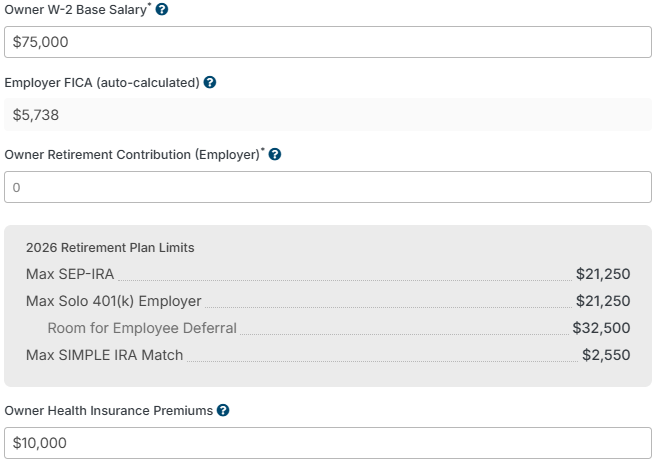
After all inputs have been completed, Holistiplan calculates the estimated K-1, Box 1 income.
Tip: Income Bridge is especially useful when modeling changes to owner compensation before year-end.
Qualified Business Income (QBI)
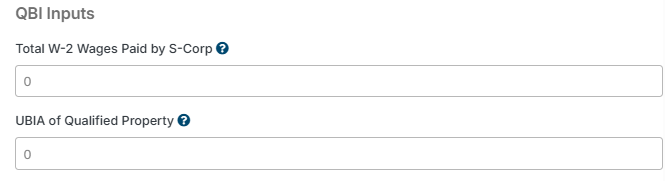
Complete the QBI section if the business generates qualified business income. Holistiplan uses this information when estimating the Section 199A deduction.
Review the Results
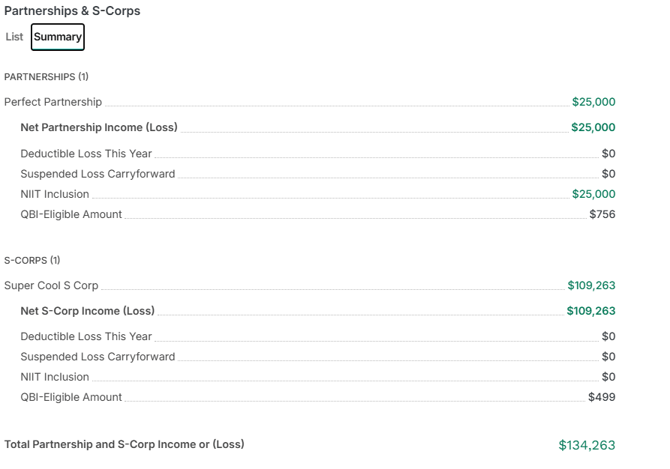
Every entity includes a Summary card that updates automatically.
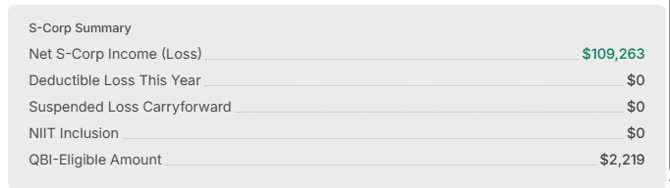
For employee-shareholders, the Summary card displays K-1 pass-through income only. W-2 wages continue to flow through the Wages section of Scenario Analysis.
Summary Tab
The Summary tab combines every partnership and S-corporation into a single view.