![Holistiplan Logo (800x200 px).webp]](https://help.holistiplan.com/hs-fs/hubfs/Holistiplan%20Logo%20(800x200%20px).webp?width=160&height=40&name=Holistiplan%20Logo%20(800x200%20px).webp)
The Wealthbox AI integration allows the user to:
- Ask Wealthbox AI questions about Holistiplan households and get answers in plain language
- Prepare for client reviews with summaries of tax reports and planning scenarios
- See which households have or haven't received their tax letter this year
- Create a Holistiplan tax report for a client's tax return from Wealthbox
- Save Holistiplan tax reports, Roth projections, and tax letters as PDFs on the client record in Wealthbox
Getting Started Requirements
- An active Holistiplan account.
- A Wealthbox account with access to Wealthbox AI.
Each advisor connects their own Holistiplan account to Welathbox. Wealthbox AI only sees the households that your Holistiplan login can see. A firm admin needs to enable the integration in Holistiplan.
How to Link Holistiplan to Wealthbox
- Log in to Wealthbox.
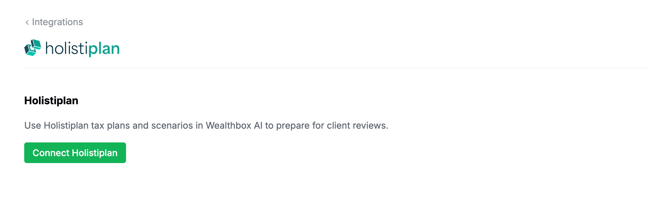
- Go to Settings > Integrations and select Holistiplan.
- Click Connect Holistiplan.
- Sign in to Holistiplan and approve access for Wealthbox.
- Return to the Holistiplan integration page in Wealthbox.
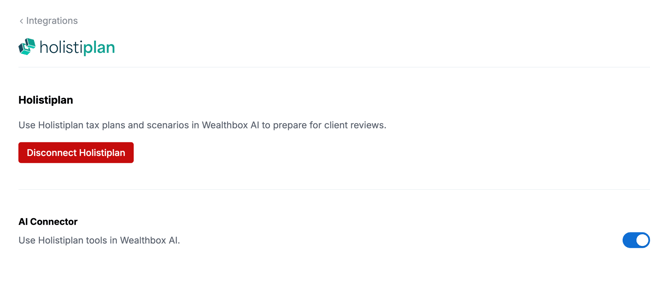
- In the AI Connector section, make sure the Use Holistiplan tools in Wealthbox AI toggle is turned on.
Frequently asked questions about the integration
How do I access Holistiplan data with Wealthbox AI?
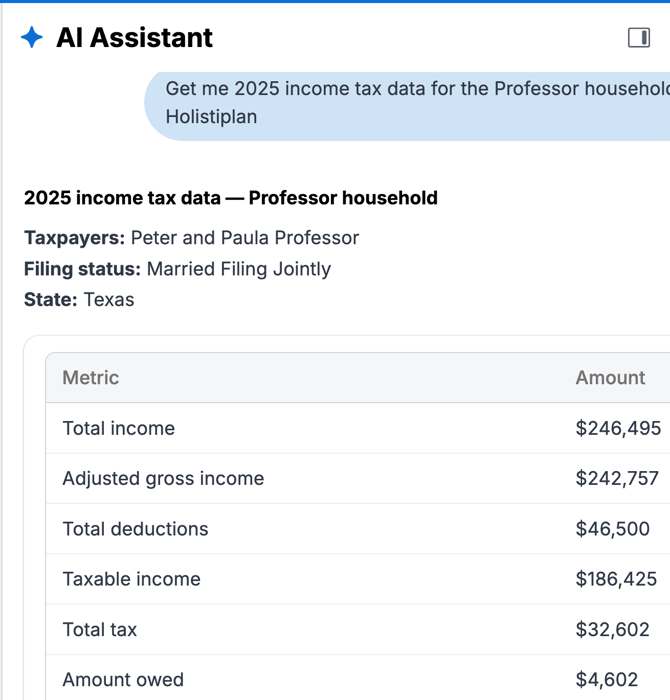
Open the Wealthbox AI Assistant and ask a question about a Holistiplan household. Wealthbox AI gets the data from Holistiplan when you ask.
Wealthbox AI can look up:
- Clients and households
- Income tax records
- Tax reports
- Scenario analyses
- Roth projections
- Tax letter status, for one household or across all households
- Recent household activity
Household Matching Behavior
Wealthbox AI finds Holistiplan households by name. It does not automatically link Wealthbox contacts to Holistiplan households.
- Use the household name as it appears in Holistiplan for the best results.
- If more than one household could match, tell Wealthbox AI which one you mean.
- If a household doesn't appear, make sure your Holistiplan login has access to it
What can Wealthbox AI change in Holistiplan?
Wealthbox AI acts as you, using the access that you approve when you connect.
- Wealthbox AI can create a tax report for an existing tax return and generate PDFs.
- Wealthbox AI cannot edit or delete Holistiplan data, upload tax returns, change scenarios, or send tax letters to clients.
How do I disconnect Holistiplan?
In Wealthbox, go to Settings > Integrations > Holistiplan.
- To stop Wealthbox AI from using Holistiplan: Turn off Use Holistiplan tools in Wealthbox AI. Your accounts will stay linked.
- To unlink your accounts: Click Disconnect Holistiplan. PDFs that you already saved to Wealthbox are not deleted.
Troubleshooting
-
The Holistiplan page in Wealthbox says "Your Holistiplan connection has expired."
-
Click Connect Holistiplan and sign in to Holistiplan again.
-
Wealthbox AI says Holistiplan is temporarily rate-limited.
-
Wait a few minutes and try again.