![Holistiplan Logo (800x200 px).webp]](https://help.holistiplan.com/hs-fs/hubfs/Holistiplan%20Logo%20(800x200%20px).webp?width=160&height=40&name=Holistiplan%20Logo%20(800x200%20px).webp)
For advisors who want to promote tax planning in their practice, we've created a Marketing Toolkit that includes 13 marketing materials including social cards, video scripts, infographics, and email templates free for subscribers of any level!
To gain access to this toolkit, a firm admin will first need to enable the feature by navigating to Settings > Features & Tools > General.
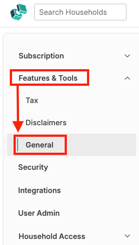
Toggle on the option to Marketing Toolkit as seen below. Then click Save Changes in the bottom right of the screen.
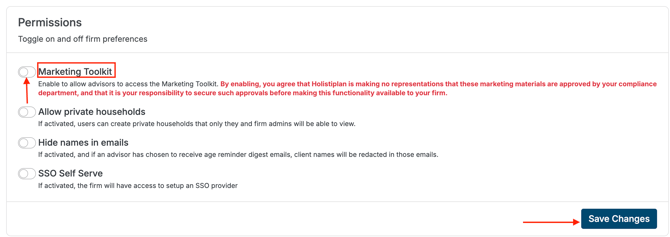
By enabling, you agree that Holistiplan is making no representations that these marketing materials are approved by your compliance department, and that it is your responsibility to secure such approvals before making this functionality available to your firm.
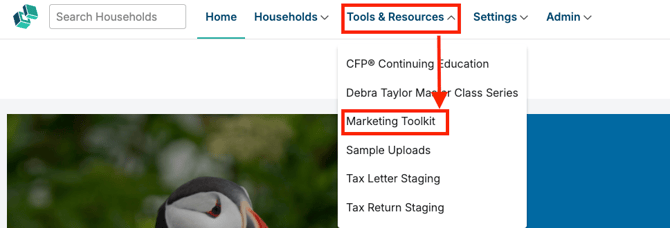
Once enabled, users can access the Marketing Toolkit by navigating to Tools & Resources > Marketing Toolkit!